
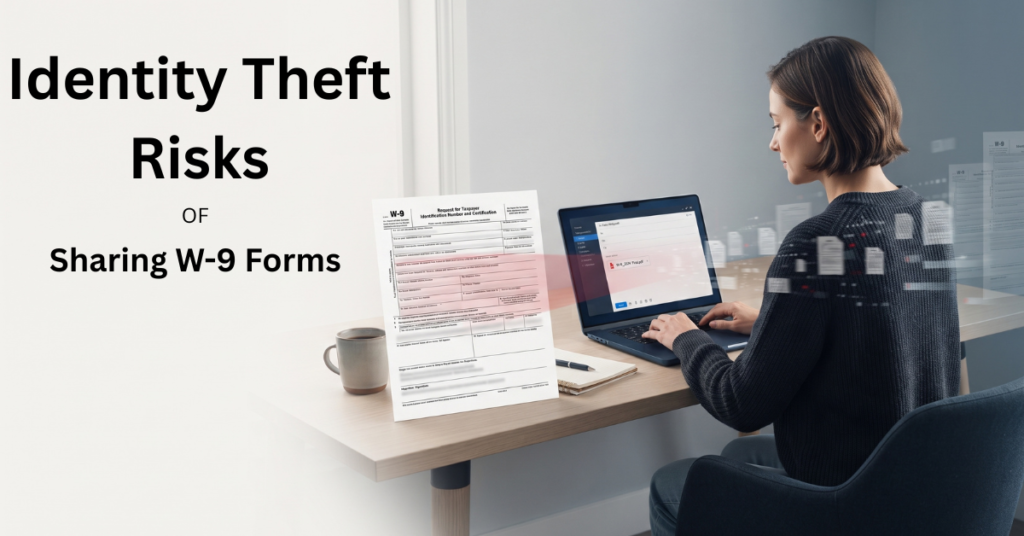
The IRS has documented a specific scam pattern for years: an email that looks like it’s from a company executive, sent to a payroll or HR department, asking for a full list of employees’ W-2 forms. In the first year the scam appeared, around 50 organizations reported being victimized. Within a few years, that number had climbed past 200, with several hundred thousand people’s Social Security numbers exposed in the process.
The mechanism, a convincing, urgent-sounding request for a tax document, sent through the most routine channel available, didn’t stay contained to payroll departments. The same playbook shows up in freelance work every day, just aimed at a W-9 instead of a W-2.
A W-9 isn’t just paperwork. It’s one of the most concentrated single documents a freelancer ever hands to another party, your legal name, business name, address, tax classification, and either your Social Security number or your EIN, all in one place. Handled well, that’s a routine part of getting paid. Handled carelessly, it’s a single point of failure. This article covers how W-9s actually get misused, and how to send one without creating unnecessary exposure.
Table of Contents
What’s Actually Inside a W-9, and Why That Matters
A completed W-9 typically includes your full legal name, your business name if you use one, your address, your federal tax classification, and either your SSN or your EIN in the certification section (IRS). Individually, several of these fields aren’t particularly sensitive, your name and business address are often public anyway.
What makes the document itself risky is that it’s the combination, verified and self-certified by you, sitting in one place. Per the IdentityBastion Exposure Framework, a completed W-9 is a Tier 1 document by default, it typically contains your SSN or EIN directly, which makes how it’s transmitted and stored meaningfully more important than most of the other paperwork that flows through freelance work.
The Request Itself Isn’t the Risk, Timing and Delivery Are
It’s worth being precise here, because a W-9 request is completely normal and necessary for legitimate freelance work. A W-9 is a normal part of the information-reporting process because payers may need your TIN to complete required information returns. The risk isn’t the request existing. It’s when it comes and how you’re asked to send it back.
| Request | Legitimate Pattern | Red Flag Pattern |
| Timing | Requested after a contract or agreement is in place | Requested before any agreement, often during initial outreach |
| Verification | You can independently verify the requesting company exists, and the person is real | The request pressures you to respond quickly, without time to verify |
| Delivery method requested | Secure portal, encrypted document, or established business process | Plain email reply, text message, or a link to an unfamiliar “portal” |
| Follow-up behavior | Normal, low-pressure confirmation once received | Urgent follow-ups, threats about delayed payment if you don’t respond immediately |
When sensitive tax documents are being exchanged, the transmission method matters. NIST specifically identifies email attachments and file-sharing methods as areas where sensitive information can be exposed if exchanges aren’t properly protected (NIST).
This is IdentityBastion’s practical filter for W-9 requests specifically, not a formal classification, but a fast way to sort a routine request from one worth pausing on, and it maps directly onto the onboarding-stage scam pattern covered in our guide to fraud vs. identity theft for freelancers.
Identity Theft Risks of How W-9 Forms Actually Get Misused
Business email compromise targeting the request itself. Following the same pattern documented for W-2 scams, a spoofed or compromised email posing as a legitimate client can request a W-9 (or claim to need an “updated” one) as a pretext to harvest your SSN or EIN directly. The IRS is explicit that it never initiates contact by email requesting personal or financial information, the same caution applies to any unsolicited message claiming to need your tax paperwork urgently (IRS).
Sitting exposed in an email inbox indefinitely. Once a completed W-9 is sent as a plain attachment, it typically stays in that email thread, yours and the recipient’s, for as long as either inbox exists. If either account is ever compromised, the W-9 is compromised along with it, potentially years after you sent it and long after you’ve stopped thinking about that particular client relationship.
Insecure storage on the receiving end, outside your control. Even if you send a W-9 carefully, you have no visibility into how the client stores it afterwards, a shared drive, an unencrypted spreadsheet of contractor tax IDs, or a filing system with far more access than it should have. This isn’t something you can fully prevent, but it’s a reason to be more cautious about which clients you’re comfortable sending one to in the first place.
A fake “update your W-9” phishing link. A newer variation on the same theme: a message claiming your W-9 information needs to be “updated” or “re-verified,” linking to a fake form that captures your SSN or EIN directly rather than going through an actual client relationship at all.
Physical or fax interception. Less common than it used to be, but some clients still request W-9s by fax or physical mail, both of which carry their own, lower-tech interception risks if the receiving end isn’t secured.
How to Actually Send a W-9 Safely
| Method | What It Protects Against | What It Doesn’t |
| Secure client portal or HR/vendor system | Keeps the document off open email threads entirely | Doesn’t protect against the platform itself being breached |
| Password-protected PDF, password sent via a separate channel (text, phone call) | Protects against interception during transmission | Doesn’t protect the document once decrypted and stored by the recipient |
| Established invoicing or contractor-management software with a built-in W-9 field | Centralizes the document under one system’s security rather than scattered email threads | Depends entirely on that platform’s own security practices |
| Plain email attachment | May benefit from transport encryption depending on the email systems involved | Does not necessarily provide end-to-end/content encryption or control how the recipient stores the document |
| Fax or physical mail | Avoids email-based interception specifically | Introduces different physical-security risks depending on how the receiving end handles paper documents |
If a client’s only offered method is a plain email attachment, it’s reasonable to ask whether you can send it a different way instead, a five-second question that closes off one of the more common exposure points on this list.
When It’s Reasonable to Push Back
The request comes before any contract or agreement exists. Legitimate W-9 collection happens once a working relationship is actually established, not during a first cold outreach message.
You can’t independently verify the company or the person asking. A quick search, a look at the company’s actual website, or a request for a video call before sending anything sensitive costs you a few minutes and closes off a meaningful share of fake-client scenarios.
You’re asked to send it somewhere unusual, a personal email address instead of a company one, a generic form link, or a messaging app rather than an established business channel.
There’s pressure to respond immediately, especially paired with a threat that payment will be delayed if you don’t. Legitimate clients generally have some flexibility on when tax paperwork gets filed relative to when a project starts.
None of these on their own guarantee something’s wrong, but any one of them is a reasonable basis to slow down and verify before sending a document that contains your SSN or EIN.
Common Mistakes: Identity Theft Risks of Sharing W-9 Forms
Sending it as an unprotected email attachment by default, without ever asking whether a more secure option exists, most freelancers default to whatever method feels fastest rather than what’s actually safest.
Not confirming the legitimacy of a new client before responding to a W-9 request, especially under time pressure from a project that seems attractive or urgent.
Leaving copies of completed W-9s in your email indefinitely without considering retention and access controls. The exposure isn’t limited to the recipient’s inbox, your own outbound copy is just as vulnerable if your account is ever compromised.
Reusing the exact same PDF file for every client without considering that a single compromised recipient now has a document identical to what every other client received is not itself dangerous, but worth being aware of if you ever need to track down where a leak originated.
FAQs: Risks of Sharing W-9 Forms
Is It Normal for a New Client to Ask for a W-9?
Yes, clients are required to collect one before filing a 1099, so the request itself is standard. What matters is the timing (after an agreement, not before) and how you’re asked to send it back.
What’s the Safest Way to Send a W-9 to a Client?
A secure portal, a password-protected document with the password sent separately, or built-in W-9 collection through invoicing software are all safer than a plain email attachment, which offers no meaningful protection in transit or storage.
Can a Fake W-9 Request Actually Lead to Identity Theft?
Yes. A fraudulent W-9 request can result in the exposure of your SSN or other sensitive identifying information, which can create an identity-theft risk. But providing information to a scammer is not by itself proof that identity theft has already occurred; actual identity theft involves unauthorized use of that information.
Should I Use My SSN or EIN on a W-9?
Whether you should use an SSN or EIN depends on your business structure and the tax reporting situation. An EIN can reduce the number of situations in which you provide your SSN, but it isn’t automatically the correct TIN for every W-9.
What Should I Do if I Think I Sent a W-9 to a Scammer?
Treat it as potential identity theft, not just a mistake; file an IRS Identity Protection PIN application if you haven’t already; monitor for tax- and credit-related warning signs, and follow the full recovery process for whichever type of misuse actually occurs.
The Bottom Line: Identity Theft Risks of Sharing W-9 Forms
A W-9 request is a normal, unavoidable part of freelance work, the risk isn’t the document existing, it’s how casually it sometimes gets handled. Because a completed W-9 typically contains your SSN or EIN alongside your name and address in one place, it deserves more caution than most of the paperwork that flows through a freelance business, both in when you send it and how.
The practical version of this: verify new clients before sending anything, prefer a secure delivery method over a plain email attachment whenever one’s available, and treat any pressure to respond immediately as a reason to slow down rather than speed up.
What to Do Next
The same caution that applies to a domestic W-9 request applies even more when the client is overseas, different verification norms, different payment rails, and less recourse if something goes wrong. Our guide covers what actually changes.
Pingback: Identity Theft Risks When Working With Overseas Clients
Pingback: How Identity Theft Happens During Client Onboarding in 2026
Pingback: Tax Identity Theft Risks for Self-Employed Workers in 2026
Pingback: What to Do If Someone Used Your EIN: 9 Steps