
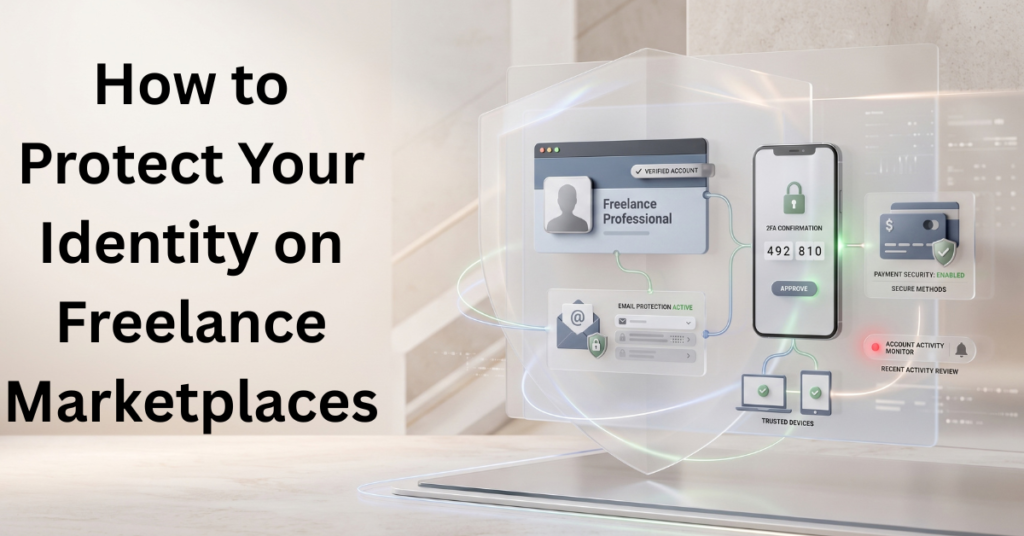
Most freelance platform security advice starts with enabling two-factor authentication, which is genuinely important, but it skips a prerequisite that makes or breaks it. The email address tied to your Upwork or Fiverr account is almost always how you’d recover it if you get locked out, so if your email is compromised, an attacker may intercept password-reset messages or other account-security notifications, depending on the platform’s recovery process.
Securing your email first, then the platform, is the right order, doing it the other way leaves the real weak point untouched. This guide walks through the specific settings worth locking down on freelance marketplaces, in the order that actually matters, plus a few platform behaviours that surprise people once they understand how they actually work.
Table of Contents
“Private” Doesn’t Mean What You Might Think
Before the settings checklist, one specific point worth correcting: Upwork’s own support documentation confirms that setting your profile visibility to “Private” doesn’t make it invisible to everyone. A client who’s logged into Upwork and already has a direct link to your profile can still view it, even on the most restrictive visibility setting. Private mainly affects whether your profile shows up in search, on the platform or in an external search engine, not whether someone with a direct link can access it.
This is IdentityBastion’s practical clarification of what Upwork’s own visibility settings actually do, not a flaw in the platform, just a commonly misunderstood feature. If your goal is keeping your freelance work invisible from someone specific (an employer, for instance), understand that “Private” blocks discovery, not direct access by anyone who already has your profile link.
The Settings Checklist, in the Order That Matters
Step 1: Secure Your Email Account First
This isn’t a platform setting at all. Still, it comes before everything else on this list, since your email is typically the credential that can reset your platform password, regardless of what security you’ve set up on the platform itself. Unique password, app-based MFA, and the same habits covered in our dedicated mistakes guide apply here with extra weight, since this one account underlies everything else on this list.
Step 2: Enable Two-Factor Authentication on the Platform Itself
On Fiverr, this lives under Account Settings → Account Security, and it’s worth noting that once enabled, Fiverr doesn’t allow it to be fully removed, only toggled off and back on, which is a deliberate friction point against someone trying to turn off your protection quietly. On Upwork, it’s under Account Settings → Password and Security, listed as two-step verification.
Use the strongest verification method the platform actually offers. Upwork supports authenticator-app codes and mobile-app prompts, alongside SMS and security questions. Fiverr’s documented options include email, SMS or WhatsApp, and verification through an already logged-in device. Where stronger methods are available, prefer them over text or email codes; CISA recommends phishing-resistant MFA where practical and ranks text or email codes among the weaker options.
Step 3: Set Up a Security Question if the Platform Offers One
Upwork specifically offers this as an additional account recovery layer, found in the same Password and Security section, worth completing even though it’s easy to skip during initial setup (Upwork).
Step 4: Review Your Profile Visibility Setting Deliberately
Understand the “Private doesn’t mean invisible to everyone” nuance above. Choose based on what you’re actually trying to control, discoverability versus direct access are two different things, and the setting only fully addresses the first one.
Step 5: Review Connected Apps and Third-Party Integrations
Review the platform’s connected apps, authorized services, and integrations wherever those controls are available. Revoke access you no longer need or don’t recognize, and review permissions before authorizing a new tool.
Step 6: Check Active Sessions and Devices
Fiverr’s “Devices and Sessions” page under Settings → Security shows you everywhere your account is currently logged in, worth checking periodically and immediately after any suspicious activity, since disconnecting an unfamiliar device can end its authorized access to your account, but you should also change your password and review recovery methods if you suspect a compromise(Fiverr).
Step 7: Enable Available Login and Payment Notifications
Review the security and notification options each marketplace provides. Fiverr, for example, documents email notifications for new-device logins. Alerts can help you notice suspicious activity sooner, but they do not prevent unauthorized access by themselves.
Step 8: Limit What’s Visible in Your Public Portfolio to What’s Actually Necessary
The social-engineering risk covered in our hub article depends partly on how much personal and project detail is publicly visible, periodically reviewing what your profile shows publicly closes part of that gap.
Step 9: Periodically Double-Check Your Payout Settings
This connects directly to the payment-platform risks covered in our dedicated guide, a redirected payout can run for a full billing cycle unnoticed if you don’t check where your payments are configured to land.
What a Verification Badge Actually Verifies
Worth understanding precisely: a platform’s “verified” badge on your own account typically confirms your identity to the platform itself, not that every client or project you encounter afterwards has been vetted to the same standard. The badge is about your account’s standing, not a guarantee about who you’re dealing with on the other side of a new project.
Treating a verification system as a substitute for the independent client-verification habits covered in our onboarding guide mismatches what the badge certifies with what people sometimes assume it does.
What These Settings Actually Protect, and What They Don’t
| Setting | Solves | Doesn’t Solve |
| Platform 2FA | Adds a second verification step and can reduce the risk of unauthorized access if a password is compromised. It does not eliminate every account-takeover route | Doesn’t help if your email, the account recovery path, is compromised separately |
| Profile visibility set to Private | Reduces discoverability through Upwork search, but does not prevent access through a shared profile link or proposal. | Doesn’t block access by anyone who already has a direct link to your profile |
| Reviewing connected apps | Closes off access from forgotten or unfamiliar third-party integrations | Doesn’t protect against a brand-new, convincingly-named malicious app you haven’t yet noticed |
| Device/session review | Can terminate access from a disconnected device; follow up with password and recovery-setting checks if compromise is suspected. | Doesn’t prevent the next unauthorized login attempt on its own |
| Login/transaction alerts | Shortens detection time after something’s already wrong | Doesn’t prevent the unauthorized activity itself |
Common Mistakes With Platform Security Settings
Enabling platform 2FA while leaving email secured with a weak or reused password. This is an important security gap, and it undermines the entire point of platform-level 2FA, since email access can often bypass it entirely through account recovery.
Assuming “Private” visibility means fully invisible to everyone. As covered above, it blocks discovery, not direct access by someone who already has your profile link, a meaningful but narrower protection than many people assume.
Reviewing connected apps and sessions once during setup and never again. New integrations get added over time as you adopt new tools, and an initial one-time check doesn’t catch anything connected afterwards.
Treating a platform verification badge as confirmation that every client you work with has been vetted. The badge verifies your own account to the platform, it says nothing about the person on the other side of a specific new project.
FAQs: How to Protect Your Identity on Freelance Marketplaces
Is Two-Factor Authentication Enough to Secure My Upwork or Fiverr Account?
It’s one of the most important steps, but not sufficient alone. If your recovery email could make account recovery easier for an attacker, securing your email first matters just as much, depending on the platform’s safeguards.
Does Setting My Profile to “Private” Hide It From Everyone?
No, on Upwork specifically, a client who’s logged in and already has a direct link to your profile can still view it even when visibility is set to Private. The setting primarily affects discoverability, not direct access.
How Often Should I Review My Connected Apps and Active Sessions?
Review periodically, not just during initial setup, new integrations accumulate over time, and a one-time review won’t catch anything connected afterwards.
Does a Verification Badge Mean I Can Trust Every Client I Work With?
No, a verification badge typically confirms your own identity to the platform, not that every client or project you encounter has been independently vetted to the same standard.
What’s the Single Most Important Setting to Check First?
Your email account’s security, even though it’s not technically a platform setting, is usually the account recovery path for your freelance platform login, so if it’s weak, it undermines everything else on this list.
Conclusion: How to Protect Your Identity on Freelance Marketplaces
Platform security settings matter, but they only work in the right order: secure your email first, since it’s typically the key that can override everything else, then move through 2FA, visibility, connected apps, and session review on the platform itself. None of these settings is complicated to find or use, the gap is almost always that you set them up once during initial account creation and never revisit them as your work and connected tools evolve.
What to Do Next
This completes the specific risk-and-protection picture across every stage of freelance work, now it’s worth pulling the full picture together into one place you can reference and share.
Pingback: Digital Identity Theft Protection for Freelancers: A Guide